
Key takeaways
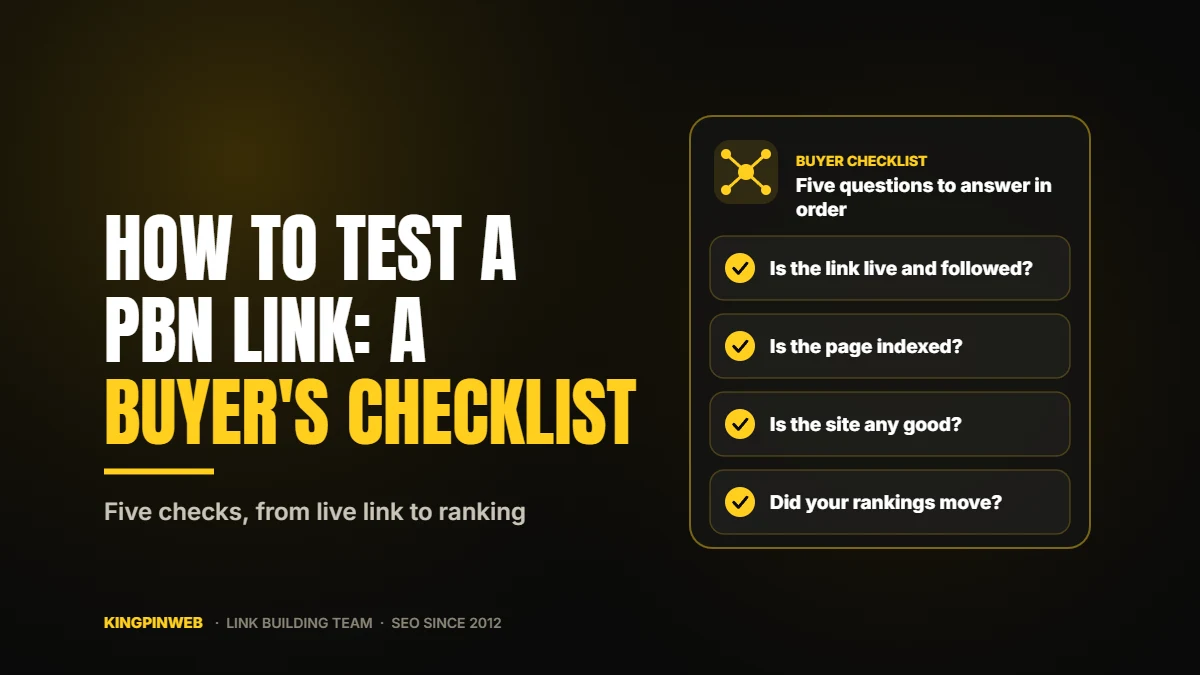
- Testing a PBN link means answering five questions in order: Is it live? Is it followed? Is the page indexed? Is the site any good? Did my rankings move?
- The first three checks take about five minutes and need no paid tools.
- A link that is missing from Ahrefs or Semrush is not necessarily missing. Many private networks block those tools.
- Give a link anywhere from one week to three months before you judge it, and change one thing at a time.
- A seller who cannot answer basic questions about indexing, outbound links and replacements is a red flag.
You paid for PBN links and the seller sent a report. Now what? Here is how to test a PBN link, step by step. Most buyers glance at the list and hope. A few simple checks will tell you whether each link can pass value at all, and a little patience will tell you whether it did. This is the checklist we would use ourselves if we were buying from someone else.
Private networks and partial reports. Some providers, us included, keep their network private even from clients and send a partial report without the site addresses. That protects you: there is no public trail from the network back to your site. With a partial report, steps 1 to 4 are your provider’s job, and you judge the links by what matters most, your rankings in step 5.
What “testing a PBN link” really means
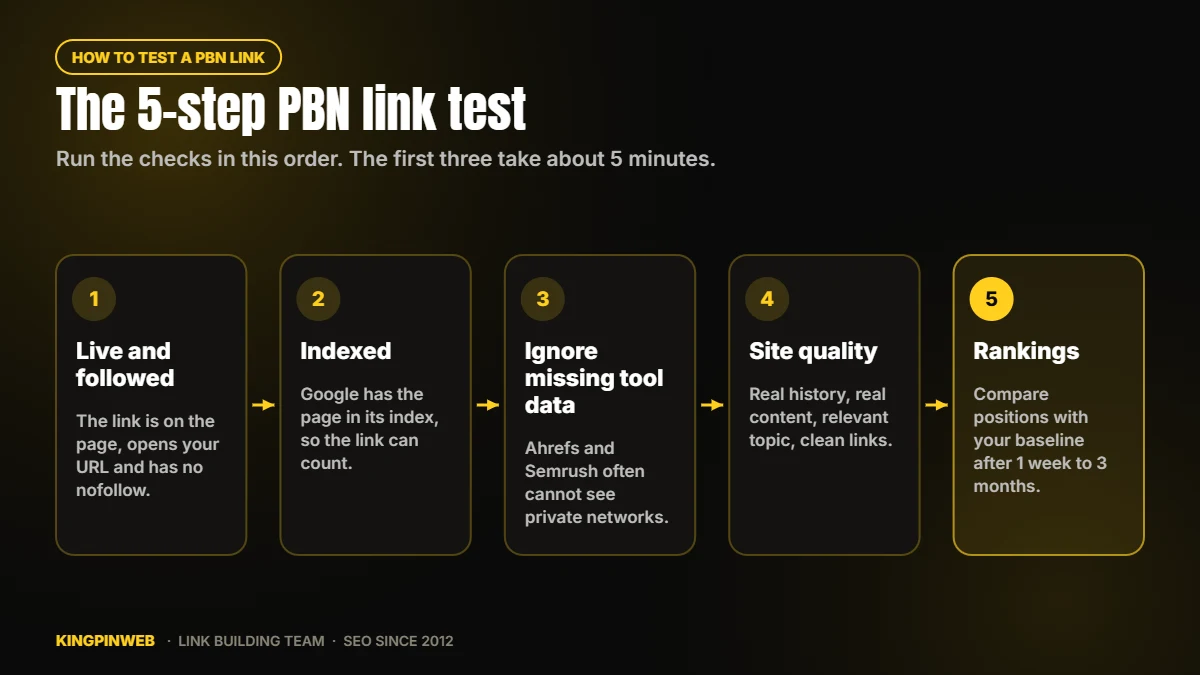
| Question | Why it matters | Time needed |
|---|---|---|
| 1. Is the link live? | A link that is not on the page does nothing | 1 minute |
| 2. Is it followed? | A nofollow or sponsored link may not pass value | 1 minute |
| 3. Is the page indexed? | A page Google has not indexed passes nothing | 2 minutes, then a recheck |
| 4. Is the site any good? | Strength comes from the site behind the link | 10 minutes |
| 5. Did rankings move? | This is what you paid for | One week to three months |
Step 1: check the link is live and followed
- Open the page from your delivery report in a browser.
- Find your link in the article and click it. It should open the exact page you asked for.
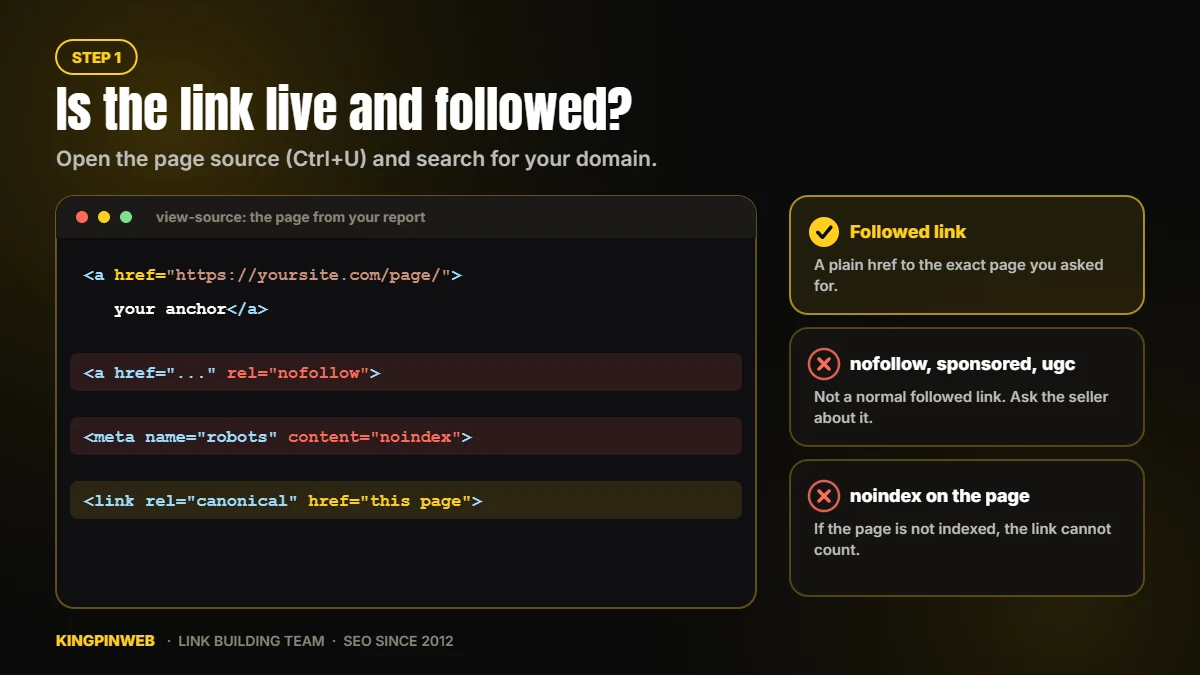
- View the page source (Ctrl+U on Windows, Cmd+Option+U on a Mac) and search for your domain with Ctrl+F.
- Look at the link tag. A clean, followed link looks like this:
<a href="https://yoursite.com/page/">your anchor</a> - If the tag contains
rel="nofollow",rel="sponsored"orrel="ugc", the link is not a normal followed link. Ask the seller about it.
While the source is open, check three more things:
- No “noindex”. Search the source for
noindex. If the page tells search engines not to index it, the link cannot count. - The canonical points to the page itself. Search for
rel="canonical". Its address should be the address of the page you are on. - The site does not block Google. Open
thesite.com/robots.txt. A line readingDisallow: /underUser-agent: *orGooglebotblocks the whole site.
Step 2: check the page is indexed
A link only counts once Google has crawled and indexed the page it is on.
- Search Google for the exact address of the post, or use
site:thesite.com/the-post/. If the page shows up, it is indexed. - A brand-new post may need a few days. Check again after a week before you worry.
- For a homepage link, search
site:thesite.comand confirm the homepage is indexed, then confirm your post is showing on it. - In your own Google Search Console, the Links report will list some linking sites over time. It shows a sample, it runs behind, and it does not say whether a link is nofollow. A link that is missing there is not proof of anything.
If a post is still not indexed after two or three weeks, tell the seller. A good one will fix it or replace the link. We index 100% of the links we deliver.
Step 3: why your link may not show in Ahrefs or Semrush
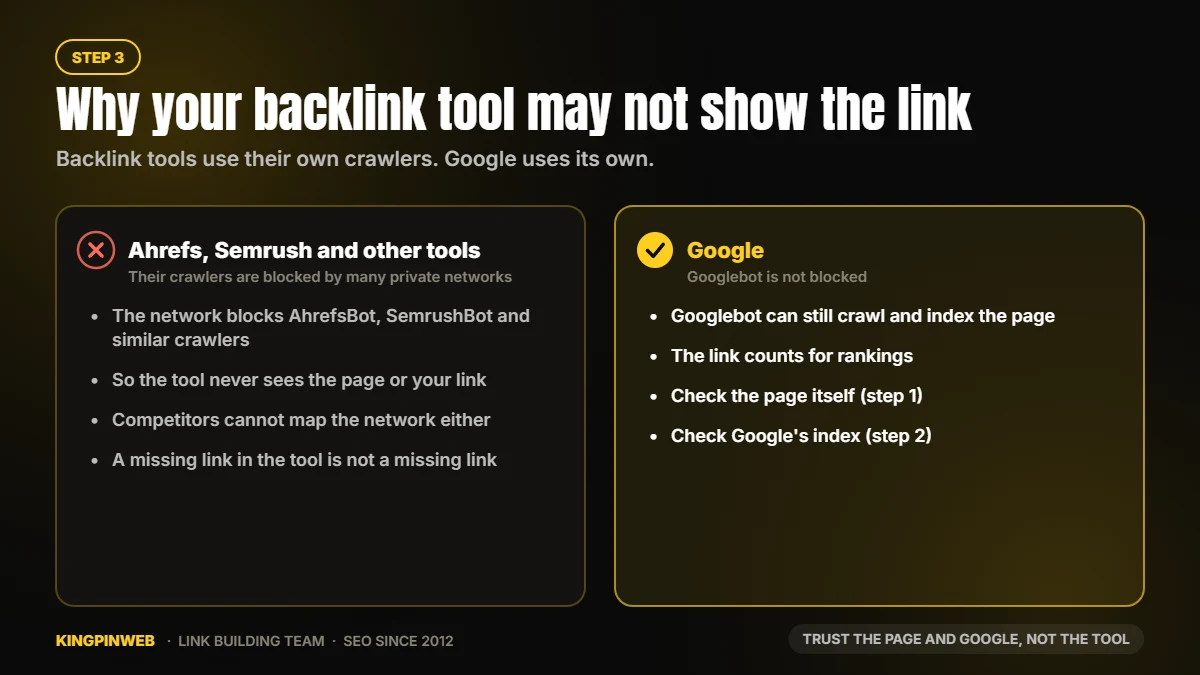
Backlink tools find links with their own crawlers. Many private networks block those crawlers so that competitors cannot map the network. The result is that a perfectly good PBN link may never appear in your backlink tool.
So do not use Ahrefs or Semrush to decide whether a link exists. Use the page itself (step 1) and Google’s index (step 2).
Step 4: judge the site your link sits on
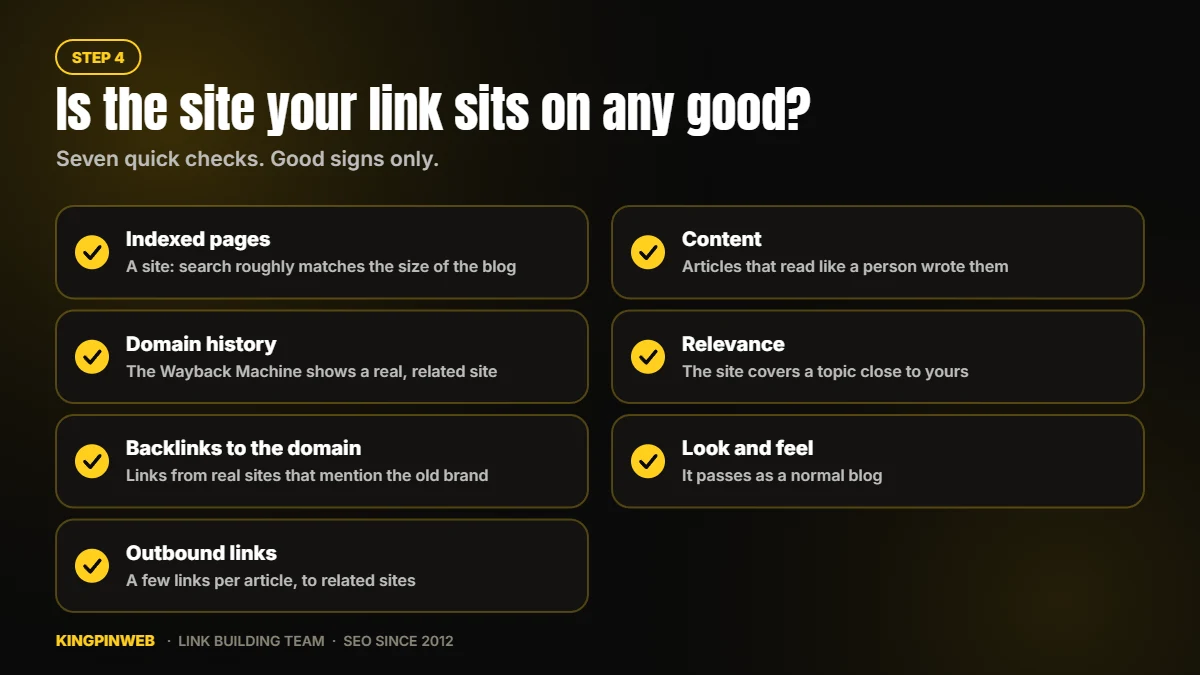
| Check | Good sign | Bad sign |
|---|---|---|
| Indexed pages | The number of pages in a site: search roughly matches the size of the blog | Zero or only one or two pages indexed |
| Domain history | The Wayback Machine shows a real site on a related topic | Past lives as a casino, pharmacy or foreign-language spam site |
| Backlinks to the domain | Links from real sites that mention the old brand or topic | Thousands of links with spammy keyword anchors |
| Outbound links | A few links per article, to related sites | Every post links out to unrelated shops, loans and casinos |
| Content | Articles that read like a person wrote them | Spun or nonsense text |
| Relevance | The site covers a topic close to yours | No connection to your niche at all |
| Look and feel | It passes as a normal blog | A bare template shared with a dozen sister sites |
Metrics such as DA are a good first filter. Cheap domains can inflate them, so the checks above tell you more. We cover the common misunderstandings in 12 PBN myths.
Why TF, CF and Moz Spam Score do not tell you if a PBN link works
Many buyers ask for a high TF, a high CF or a low Spam Score before anything else. We understand why: they are quick numbers to check. But in our experience, none of them tells you whether a link will move your rankings.
Trust Flow (TF) and Citation Flow (CF) are scores made by a third-party tool from its own crawl of the web. Google does not use them, and has never seen them. CF mostly counts how many links point at a domain. TF guesses how close those links are to a small list of sites the tool chose to trust. Both are easy to push up: a few links from the right pages, or a redirect from an old domain, and the numbers jump while the site itself stays weak. We have seen domains with a TF over 30 that move nothing, and domains with a TF under 10 that push keywords to page one.
Moz Spam Score is not a penalty and not a sign that Google has flagged a site. It is a guess. Moz looks at features that many banned sites shared (a small number of pages, few links, no contact page, a thin brand) and gives a percentage. The trouble is that almost every small, new or rebuilt blog shares those features, so a perfectly clean PBN site can show a high score. A low score proves nothing either: it can be faked with a handful of extra pages and links.
What to check instead: the things in the table above. Is the domain indexed? Does its history show a real site on a related topic? Are its backlinks from real sites? Is the content readable, and does the topic fit yours? Then the only test that really counts: did your rankings move? (Step 5.)
When we pick domains for our network, we look at real backlinks, history and relevance first. Third-party scores come last, if at all.
Step 5: measure the effect on rankings
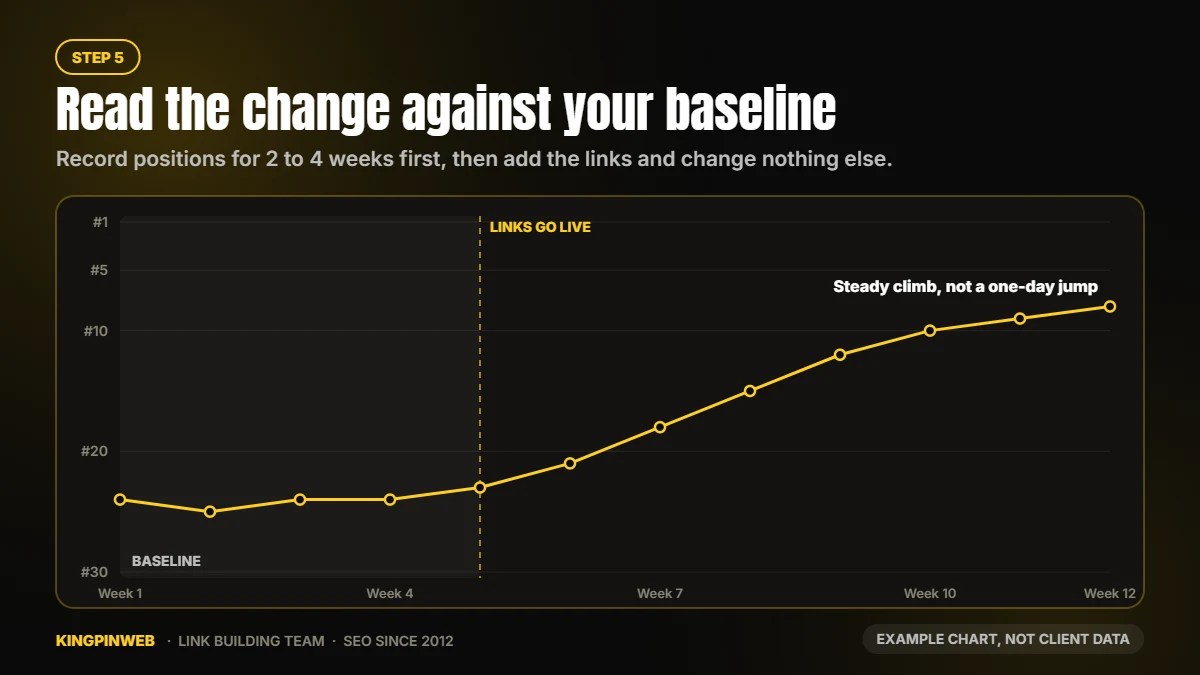
Set a baseline
Track your target keywords daily for one to two weeks before the links go live. Rankings move a little every day on their own, and you need to know what normal looks like.
Change one thing at a time
If you rewrite the page, add ten guest posts and buy PBN links in the same week, you will never know what worked. Leave the page alone while the links settle.
Be patient
PBN links can show results anywhere from one week to three months. Link velocity matters, and your overall fundamentals and other factors also come into play. Some keywords jump within days, as in our September 2026 case study. Most take longer. Do not judge a link in the first week, and do not panic if rankings wobble at the start. Movement up and down in the first days is common.
Keep a log
Write down the date each link went live, the anchor, and the page it points to. Also note any big Google update that lands during the test. If rankings across your whole niche jump around in the same week, that week tells you nothing about your links.
Keep a comparison page
If you can, leave a similar page without new links. If the linked page climbs and the comparison page stays flat, you have your answer.
Want a cleaner answer? Run a single-variable test
SEO testers use a simple method to find out whether one factor does anything: change only that factor and compare against identical pages.
- Invent a keyword that does not exist anywhere, a made-up word with zero search results.
- Create about five near-identical pages on a test site, each using the made-up keyword in the same places.
- Wait until all five are indexed and their order in the results has stopped changing.
- Point one PBN link at a page in the middle of the pack. Change nothing else.
- Watch whether that page climbs above the others over the next few weeks.
If the linked page moves up, the link passes a signal. This test is good at answering “does this link count at all?” It cannot tell you how much the link will help against real competitors, so use it alongside the real-site tracking above, not instead of it.
How to test a PBN link: reading the result
| What you see | What it usually means | What to do |
|---|---|---|
| Rankings climb and hold | The links are doing their job | Keep a steady pace and plan the next pages |
| Nothing moves after three months | The links are weak, not indexed, or the page needs work first | Recheck steps 1 to 4, then look at the page itself |
| A drop after the links go live | Often normal early movement, sometimes too many keyword anchors | Wait two to three weeks and review your anchor text |
| One page moves, others do not | The pages differ in competition or quality | Compare the pages before blaming the links |
Red flags when you buy PBN links
- Posts that are still not indexed two or three weeks after delivery
- Sites with almost no pages in Google
- Hundreds of outbound links to unrelated businesses on every page
- The same theme and layout on every site in the report
- Spun, nonsense or copied articles
- A public list of the whole network that anyone can download
- Prices too low to cover a real domain, hosting and content
Questions to ask a seller before you buy
| Question | Our answer |
|---|---|
| Is the network private? | Yes. The site list is never public. |
| What are the domains? | Aged auction domains with clean backlinks, Moz DA 20+ and 50+ referring domains. |
| Who writes the content? | Our in-house writers. Every article is handwritten. |
| Are placements relevant to my niche? | Yes, we match niche and topic for most orders across 10,000+ sites. |
| Do you test your domains? | Every domain is toxicity-tested before use. |
| Will my links be indexed? | Yes, 100% indexing. |
| Are the links permanent? | Yes, one-time payment and permanent links. Homepage rentals are a separate monthly service. |
| What do I receive? | A delivery report for your order. Our network stays private, even from clients, so the report is partial and never lists the site addresses. You measure the result where it counts: your rankings. |
| Do you guarantee results? | On our Monthly Rental Sticky Homepage PBN Links, yes: ranking improvement or a full refund (terms in the FAQ on that page). |
FAQ
How do I know if a PBN link is indexed?
Search Google for the exact address of the post, or use the site: operator. If the page appears, it is indexed. Give new posts about a week.
Why does Ahrefs not show my PBN link?
Many private networks block backlink tools so the network cannot be mapped. Check the page itself and Google’s index instead.
How long until a PBN link affects rankings?
Anywhere from one week to three months, depending on link velocity, competition and the strength of your page.
Is a nofollow PBN link useless?
You should expect followed links from a PBN order. If a link is marked nofollow or sponsored, ask the seller to correct it.
Can I test whether a single link passes value?
Yes. Run a single-variable test with a made-up keyword and identical pages, or track one page with new links against a similar page without.
Does Google Search Console show all my backlinks?
No. It shows a sample, with a delay, and without nofollow labels. Do not treat a missing link there as proof.
What should I do if rankings drop after I add PBN links?
Wait two to three weeks, since early movement is common. If the drop holds, review your anchors and the quality of the sites.
Order PBN links
- POWERFUL PBN Links That Work: our most popular PBN service
- The Strongest PBN Links on the Planet: highest-authority domains for tough keywords
- Monthly Rental Sticky Homepage PBN Links: homepage placements
Want a mix? We also offer guest posts and niche edits. Questions before you order? Message us and we’ll help you plan the right mix for your site.
About the author

KINGPINWEB Team
KINGPINWEB is an SEO and link building company based in Chennai, India. Since 2012 our in-house team has helped site owners, agencies and businesses rank higher in search. Everything we publish here comes from hands-on work: campaigns we run, rankings we track every day and tests we carry out ourselves. We write these guides to share what works in practice. Our team is led by co-founders Issac M. Paul and Balaji Ragupathi.
Related reading
 PBN Domain Authority: Why DA Alone Misleads BuyersRead article
  12 PBN Myths That Cost SEOs Rankings (And What Is Actually True)Read article
  PBN Anchor Text: How to Choose Anchors for Your Link OrdersRead article
  Do PBN Links Still Work in 2026? Honest Answer + ProofRead article
  Why SEOs Still Choose PBN LinksRead article